Project User Register API
There are two ways to add an authenticated users (Registered Users) on your Project
- Manually - Using Graphqli Console
- From Application - Via API
Adding Users from Graphqli Console
You can manually add authenticated users that will be able to login via API on your project from Graphqli Console. For this, Go to Contents Tab from the top navigation
bar and click on the user from the left side bar. Now you can click + ADD A NEW USER button on the right side of the page. A drawer will pop up like below
note
As you can see we previously chosen Email as our authentication type therefore you can see in the Graphqli Console Email field is marked as mandatory. Same for phone type
authentication as well. Alternatively you can reconfigure email based login to phone based login just by reconfiguring the authentication module again. Its that easy.
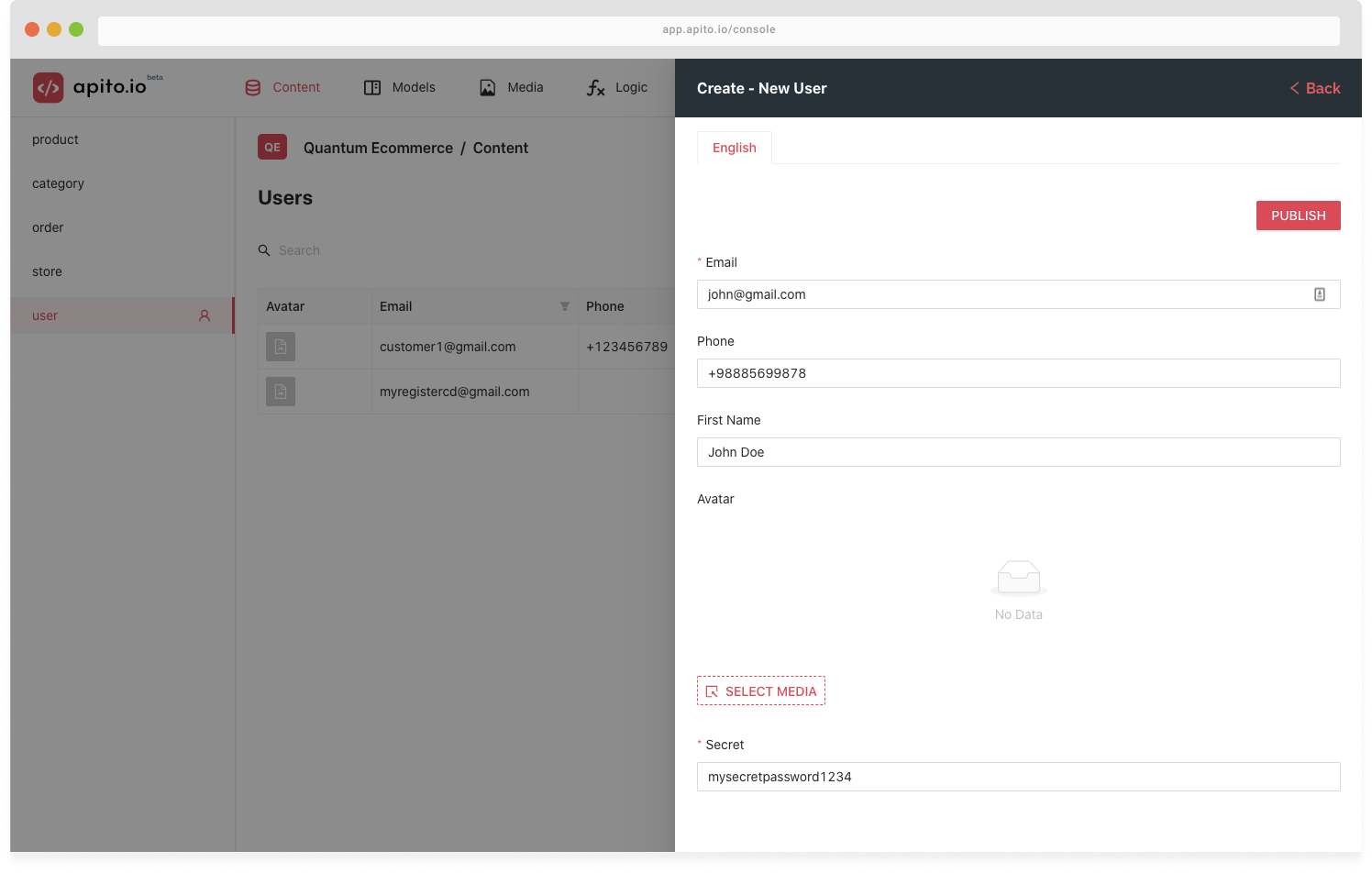
Click on the PUBLISH button to add an authenticated users who can login via API. The password the user will be using is the same you used during the
creation of that user via Graphqli Console
Adding Users via API ( User Registration )
Another way to create new user is via API. Both GraphQL and RESTful API on Graphqli has functions that support user login and registration.
note
These GraphQL Queries & Mutation (userLogin, userRegistration) and Endpoints (/system/auth/login and /system/auth/register) is available only after the successful
configuration of Authentication AddOns from Settings
GraphQL API
mutation ProjectUserRegistration {
  userRegister(secret: "mysecretpassword1234", email: "newuser@gmail.com") {
    id_token
    refresh_token
    id
  }
}
RESTful API
curl -X POST "https://api.graphqli.com/secured/rest/project-id/system/auth/register"
-H  "accept: application/json" -H  "Authorization: Bearer API_SECRET" -H  "Content-Type: application/json"
-d "{\"email\":\"newuser@gmail.com\",\"secret\":\"mysecretpassword1234\"}"