Connecting Graphqli Cloud Function to AWS Lambda Function
Now that our configuration and lambda function is ready, it's time to connect our lambda function to graphqli function.
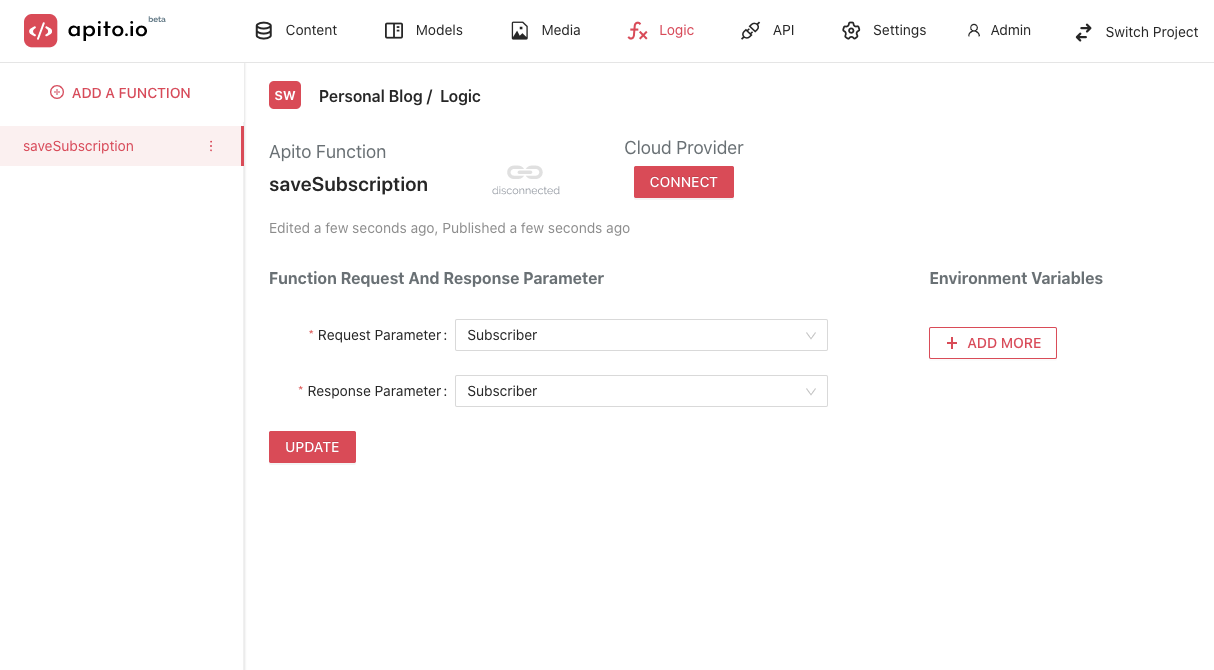
Go to Logic from the top Navigation Bar and Click on the function that you want to connect from the left side menu.
Prerequisite
- A Graphqli Function
- Enabling Graphqli
AWS Lambda FunctionExtension - Creating Lambda Function
- Deploying Lambda Function
Connect Lambda Function to Graphqli Function
Click on the CONNECT button, and it will open a drawer like below.
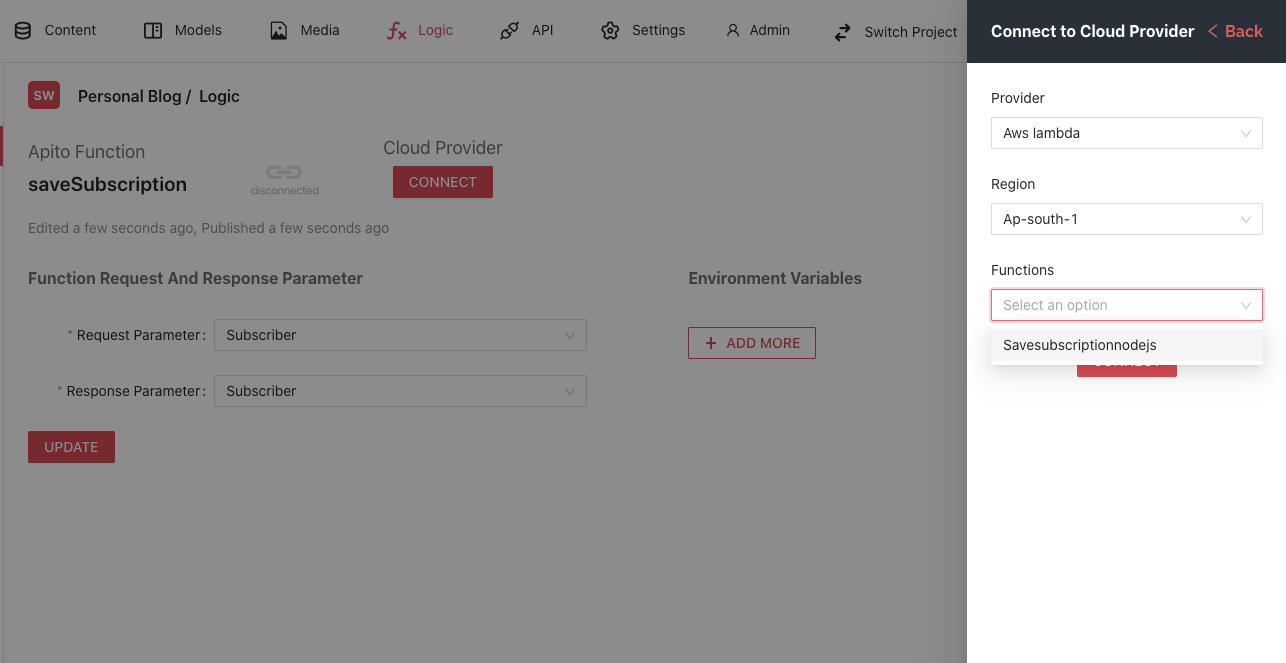
Choose your preferred aws region in order for the lambda function to appear in the function list like below, and then select Connect.
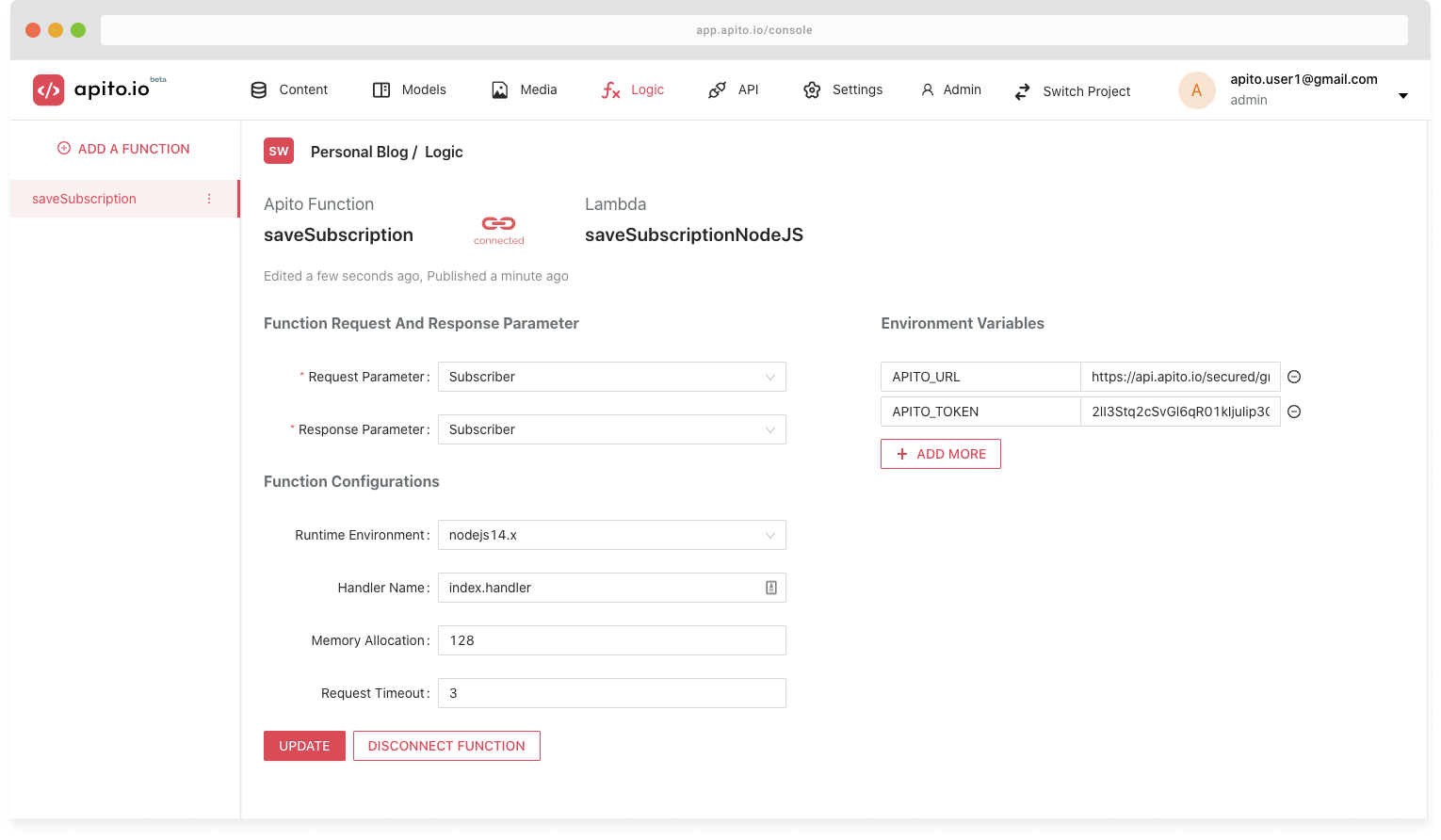
Upon successful connection you will see this page below. You can see the connection function name appeared in the page, and it also fetches function configuration and environment variables from the provider.