Create a New Graphqli Cloud Function
Go to Logic from the top Navigation Bar and Click ADD A FUNCTION from the left side menu. You will see the Create an Graphqli Function Page like below
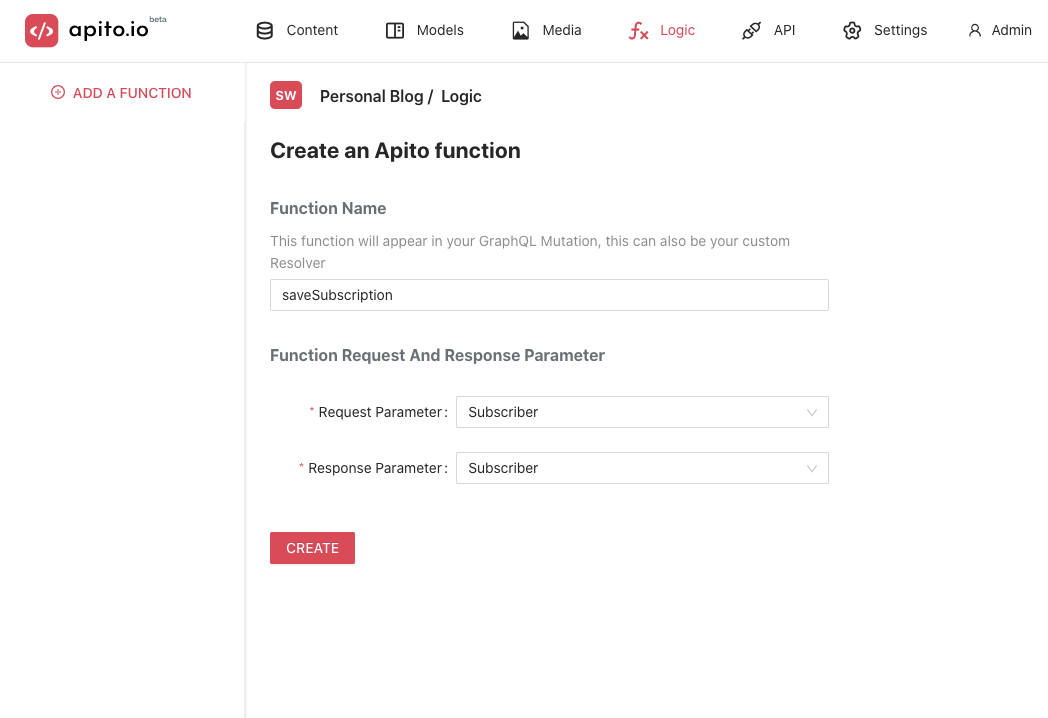
Set your Request Parameter and Response Parameter and click CREATE button.
Request & Response Parameter
Request Parameter is what Graphqli will pass to your cloud function when it will send request to your connected function. Response Parameter is what you are supposed to pass at the end of your function while you are writing the code
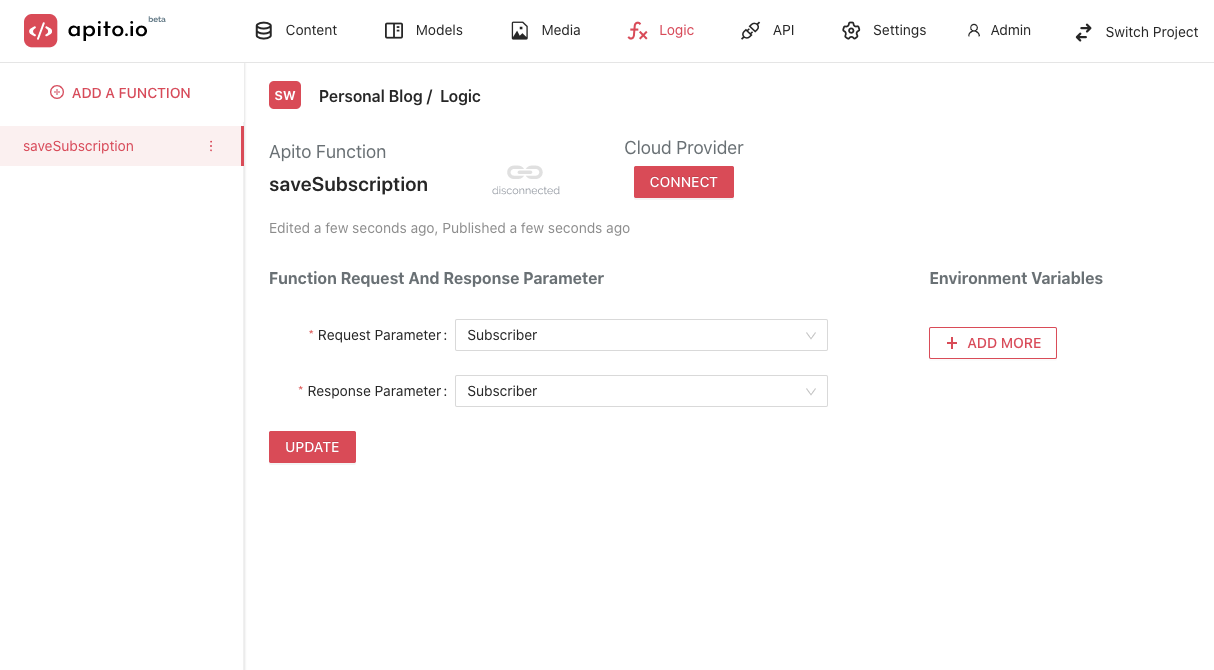
Disconnected Function
The first time you create a function in apito, it is considered as a disconnected function because apito doesn't host any function on its server. It depends on a cloud provider for its function execution power.
Click on the function you just created, and you can see something like below.
Connected Function
When you connect your Graphqli Function to a Cloud Provider it's a Connected Function. To read more about Connected Function go here